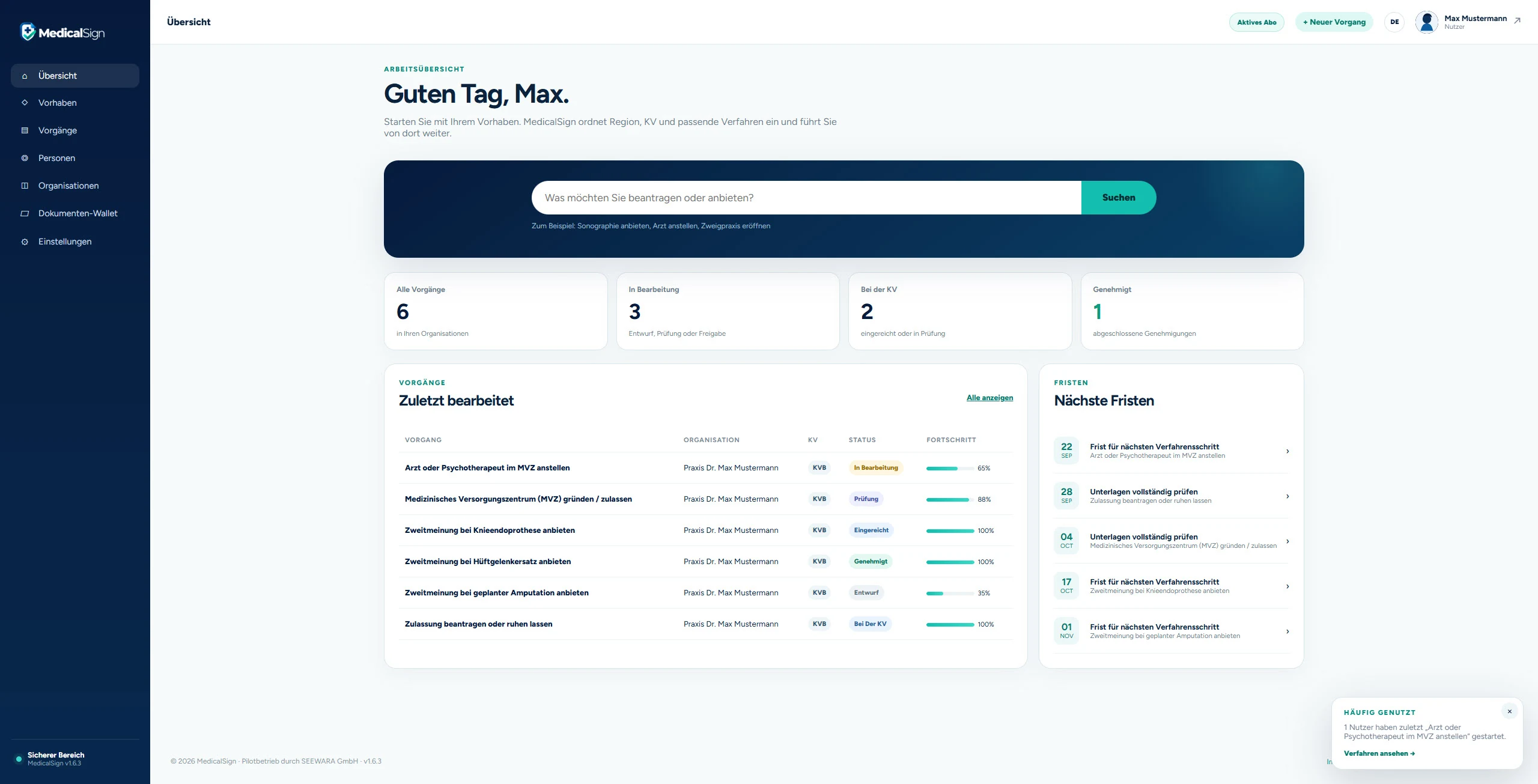
Start simply
Describe the objective in plain language or begin directly with your team and personnel files.
Describe your objective. MedicalSign finds the right KV route and keeps team, personnel files, evidence and deadlines in one place. If something remains unclear, our team helps personally.
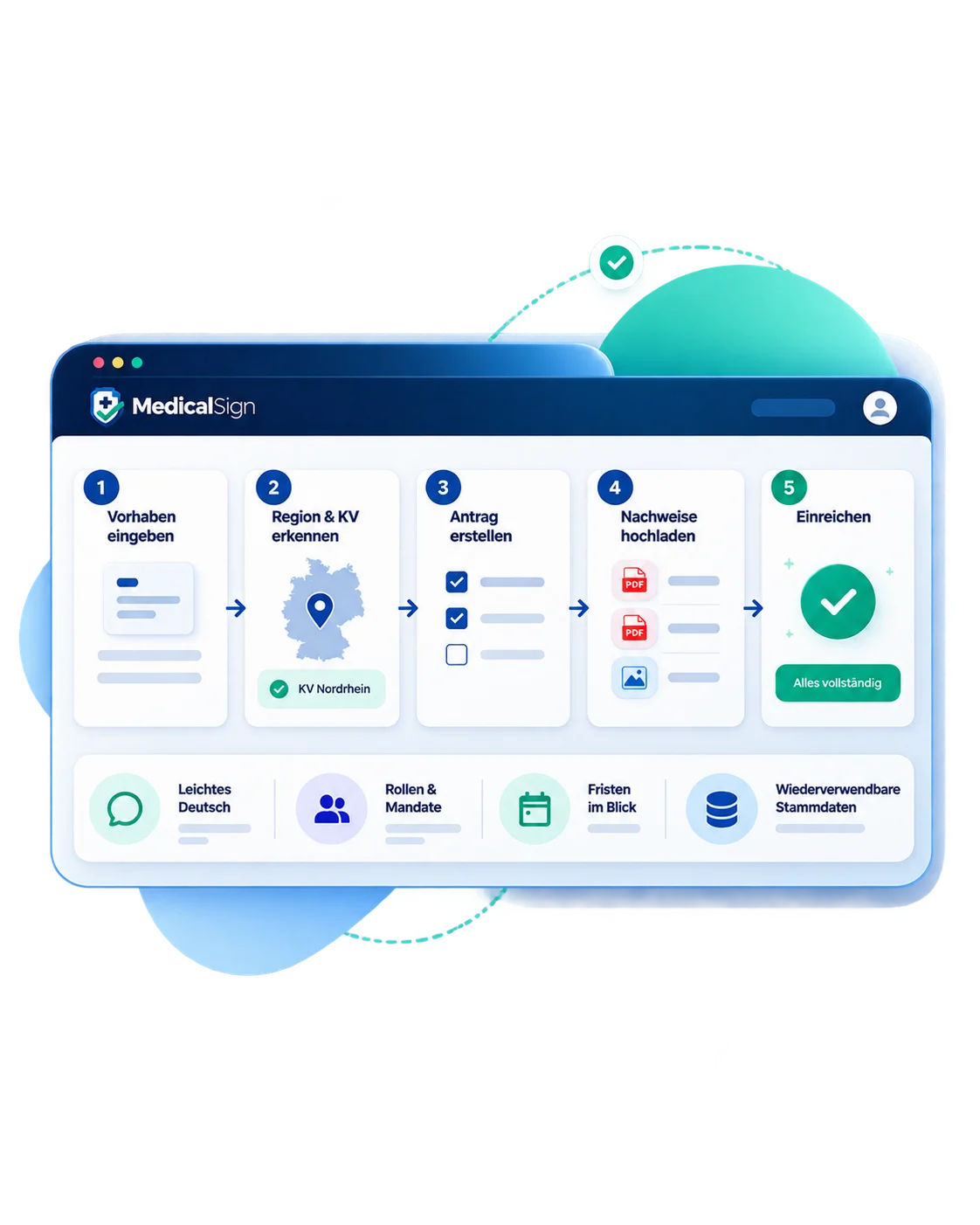
Hiring a doctor, offering a new service or changing a site often leads to a procedure with the responsible regional KV. At the same time, personnel documents, evidence, responsibilities and deadlines need to be maintained continuously in day-to-day practice operations.
That is where fragmented tools become costly: KV knowledge lives in portals and PDFs, personnel documents in folders, responsibilities in inboxes or individual memory. MedicalSign connects these layers into one working process for practices, MVZ organisations and professional advisers.

MedicalSign connects KV knowledge with your team, documents and deadlines so everyone sees the next step.
Describe the objective in plain language or begin directly with your team and personnel files.
Live KV search maps the region, responsible KV and matching published procedures.
Roles, master data, evidence and personnel documents are maintained centrally.
Owners, deadlines, reminders and processing status remain traceable.
MedicalSign connects regulatory knowledge with the people, documents and responsibilities that actually move a case forward.
Start with a KV objective or directly with your team. MedicalSign maps procedures, keeps personnel files and evidence together, assigns responsibilities and tracks deadlines. Organisations that only need personnel files can use MedicalSign without KV modules.
Explain in plain language what needs to happen medically or organisationally.
MedicalSign maps the region, KV and matching published procedures.
Team members receive roles and access to all, selected or no KV cases as required.
Master data, documents, obligations and deadlines are kept centrally for each personnel file.
Assign clear owners, deadlines and optional email reminders.
Documents, processing status, submission and history stay in one place.
Objectives, cases, team members, personnel files, organisations and documents are linked. Recurring information is maintained once and reused where it is needed.
Open MedicalSign without registration and explore workflows, cases, documents and KV logic directly in your browser.
20 minutes · no registration · opens in a new tabTry this exact entry point now: describe your objective in the live KV search.
Find procedures ↓The map shows live how many published KV procedures MedicalSign currently holds for each German federal state.
Live from the MedicalSign procedure database · 16 federal states · 17 regional KVs
Select a federal state and continue directly in the live KV search.
Describe your objective in one sentence. Live search maps it to published regional KV procedures. The underlying knowledge base is continuously reviewed and maintained by our editorial team.
16 federal states, 17 KVs and different regional rules. MedicalSign does not remove that federal structure – it makes it manageable. Start with what you want to do; MedicalSign assigns the region and KV and shows the relevant route in one interface.

MedicalSign goes beyond finding the right KV route. From the Team module onwards, people, roles, personnel files, documents, responsibilities and deadlines become one connected workspace.
Describe the objective in plain language and find matching published regional KV procedures.
MedicalSign shows the next useful step without requiring form knowledge.
Centralise employee data, documents, uploads, history and personal copies.
Create, invite, edit and deactivate employees with custom roles.
Assign KV cases, hand over work and monitor deadlines.
Use MedicalSign as a standalone personnel-file solution.
Search, tag, link and manage files in grid or list view.
Drag & drop, file checks and visible upload progress.
Employees maintain their own data, profile photo and documents.
Targeted KV access and 2FA-protected administrative actions.
Inspect ZIP contents and extract only selected files.
Use image tiles and open documents directly in a large modal.
Team access via one-time link without separate customer registration.
5 files included; additional files currently €2.00 gross/month.
Store the federal state in the profile and narrow search regionally.
Define up to five allowed email domains per organisation.
Automatically email reminders for open and due work steps.
Maintain personal master data and profile images directly in the system.
From the Practice plan onwards, the Team area supports custom roles, targeted KV-case access and responsibilities with deadlines and email reminders. Owners control sensitive actions such as deactivation, deletion and 2FA; employees can complete their own profile data through self-service.

MedicalSign is designed for healthcare teams and professional advisers who need to manage KV procedures, personnel documents, evidence and responsibilities in a structured way. It can run with the KV workflow or as a personnel-file-only solution.

You want to handle a KV procedure yourself and avoid rebuilding the same personal evidence every time.
MedicalSign finds the relevant KV route and keeps reusable master data and documents structured.
KV applications, personnel documents, deadlines and responsibilities often converge on a small number of people.
MedicalSign connects cases, Team, digital personnel files and documents in one shared working state.
Multiple doctors, sites and owners increase coordination needs across KV procedures and personnel administration.
MedicalSign provides clear roles, consistent personnel files, targeted KV assignments and traceable responsibilities.
You support clients with KV-related procedures and need a structured administrative workflow.
MedicalSign organises procedural steps, evidence, mandates and processing status while individual legal assessment remains with your professionals.
You support new practices, employment, site changes or approvals across different clients.
MedicalSign provides reusable workflows and helps manage documents, responsibilities and cases consistently.
You need digital personnel files but do not want to use KV functions.
MedicalSign can run in personnel-file-only mode: KV modules are hidden while Team, documents and deadlines remain available.Owner-controlled permissions, 2FA, invitation controls through approved email domains, tenant separation and a traceable history protect sensitive practice and personnel information.

Solo focuses on KV search and structured cases. From Practice onwards, Team and digital personnel files are included: five personnel files are included and each additional personnel file currently costs €2.00 gross per month. MedicalSign can also run in personnel-file-only mode without KV modules; the conditions shown in the app are authoritative.
| Feature | Solo | PraxisFocus | Professional |
|---|---|---|---|
| Core | |||
| KV search | |||
| Create and manage objectives | |||
| Create and edit cases | |||
| Cases | |||
| Create and manage deadlines | |||
| Upload documents to cases | |||
| Export case PDF | |||
| Reusable data | |||
| Create person master data | |||
| Use the document wallet | |||
| Organisation | |||
| Multiple users / collaboration | |||
| Professional | |||
| Add further clients / organisations | |||
| Complete data export | |||
| Pay annually · save 15% | For individual providers Book a subscription in account settings after registration. Register for free ↗ | For practices and small MVZ organisations Book a subscription in account settings after registration. Register for free ↗ | For larger organisations and service providers Book a subscription in account settings after registration. Register for free ↗ |
Subscription and billing are managed in the MedicalSign app after free registration. From Practice onwards, five personnel files are included; from the sixth file, each additional personnel file currently costs €2.00 gross per month. Current in-app conditions are authoritative.
The technology stays in the background. What matters is the next clear step.
Describe the objective. See the matching KV route.
Keep team, personnel files and documents together.
Assign tasks, access and deadlines clearly.
If something remains unclear, our team helps personally.
The MedicalSign app links its Help & Support area directly here. Contact us whenever a KV procedure, your account or a workflow step is unclear.
Questions about a procedure or requirements? Our team helps you find your way.
Questions about usage, roles or settings? Contact us directly.
There are people behind MedicalSign. We help when software alone is not enough.
MedicalSign is a digital workspace for German KV procedures and practice administration. It combines live KV search and editorially maintained procedure data with Team, digital personnel files, documents, responsibilities and deadlines.
Yes. Owners can choose between “KV applications with personnel files” and “personnel files only”. In personnel-file-only mode, KV modules are hidden while Team, personnel files, documents and settings remain available.
The Team module is available from the Practice plan onwards. Five personnel files are included. From the sixth personnel file, each additional file currently costs €2.00 gross per month. Current in-app conditions are authoritative.
Roles can be defined freely. Team members can be assigned to all, selected or no KV cases. Responsibilities can have deadlines and email reminders; sensitive deactivation and deletion actions remain owner-controlled.
The document wallet works as a media library with upload, search, tags, grid and table views, ZIP import and configurable file types. Documents can be reused across personnel files and KV cases.
No. There is no general rule requiring every complete personnel file to be digital from 1 January 2027. Certain electronic payroll-related records are relevant. MedicalSign offers the digital personnel file as an organisation and compliance capability, not as a blanket legal obligation.
The procedure database is expanded in a controlled way. Live search only returns published procedures currently released in MedicalSign. A trained editorial team maintains sources, requirements and changes.
Yes. MedicalSign is not software only. When needed, the editorial team provides personal support up to a guided managed service for more complex cases.
Yes. The stable version is available at app.medicalsign.de. Live KV search, Team, organisations, digital personnel files, document wallet and structured cases continue to be expanded.

MedicalSign is currently in pilot phase. Marvin Karg and Eric Steiner-Mantei are developing the platform for the German healthcare market. Following a successful proof of concept, scaling as an independent company based in Potsdam is planned.

MedicalSign is built around a simple standard: complex administrative procedures should become reliable, traceable and efficient for professional users.

MedicalSign is built in Germany for the German healthcare market – with clear product logic, a high standard of care and the goal of making necessary administration materially easier.
Find the right KV route, organise your team and evidence, or use MedicalSign as a dedicated digital personnel-file solution. The platform adapts to the operating mode of your organisation.